How to set up an AI model
Using Alibaba Qwen as an example, this guide walks you through creating an API key, then testing and saving the model in TGEgg. It usually takes just a few minutes.
Choose the Alibaba Qwen preset
Open the "AI models & credits" page in TGEgg, click "Use this" on the Alibaba Qwen card, then click "Get API key".
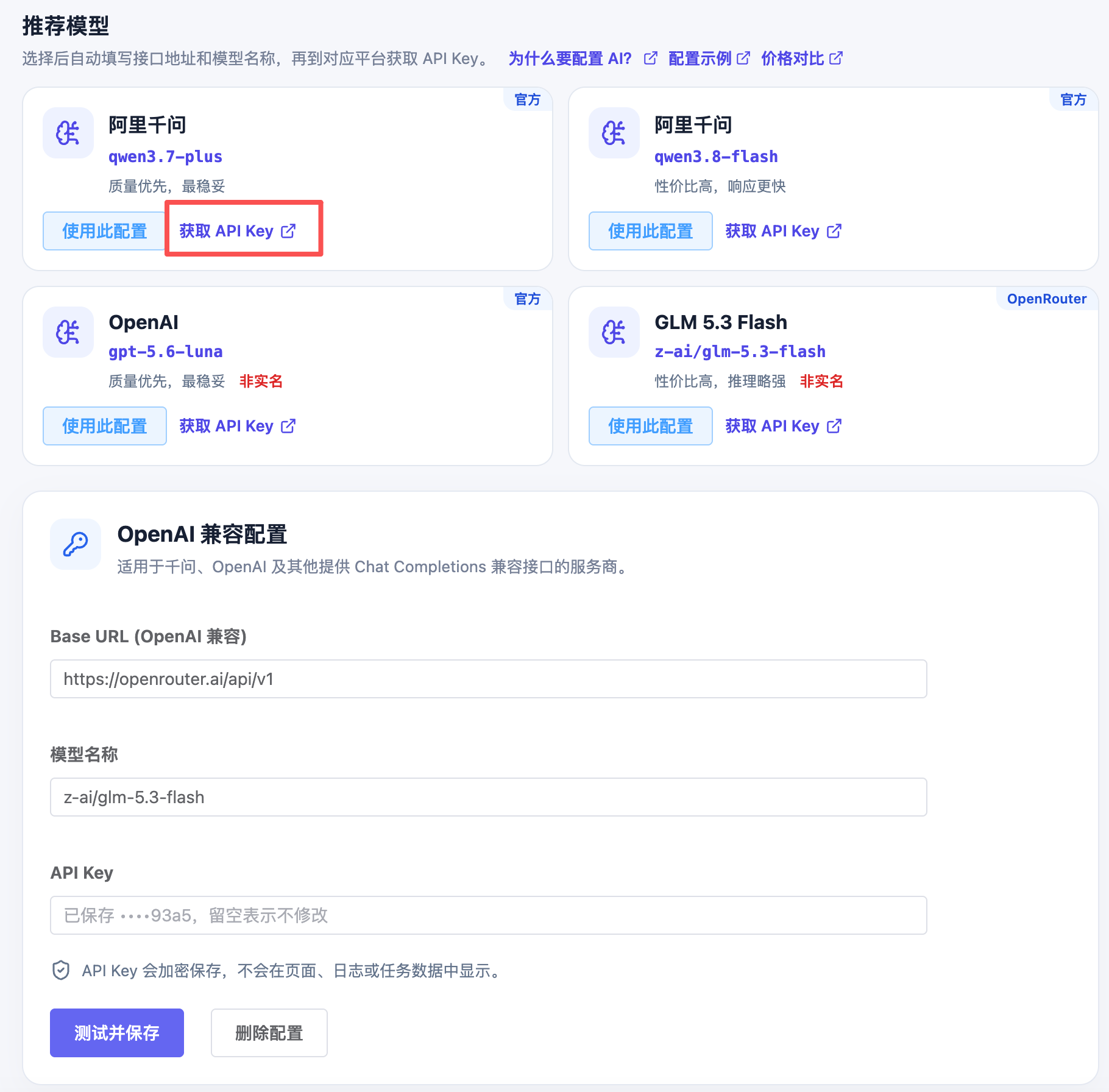
Go to the API Keys page on Alibaba Qwen
Once you land on the Alibaba Qwen platform, sign up or log in, then click "API Keys" on the home page.
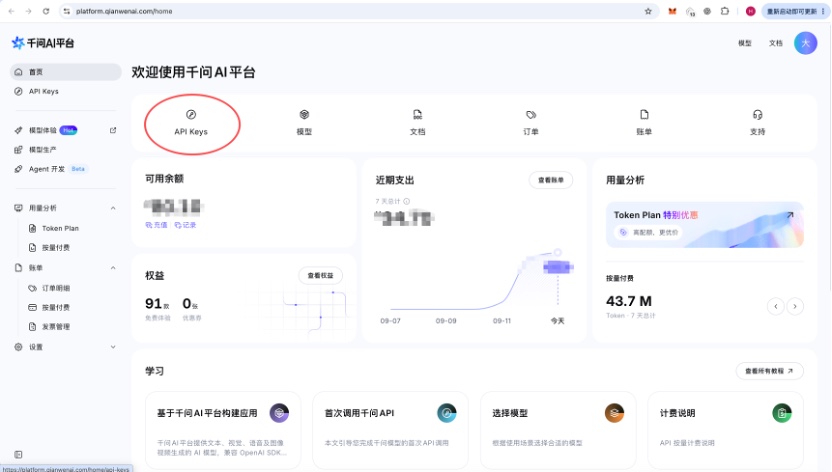
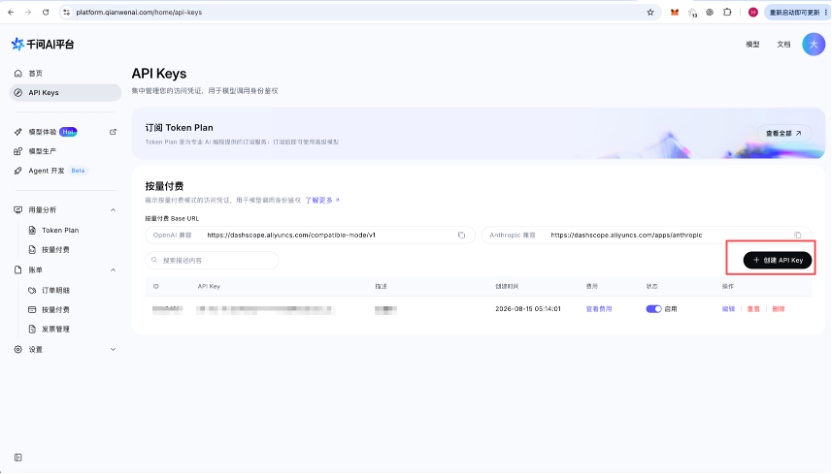
Create and copy an API key
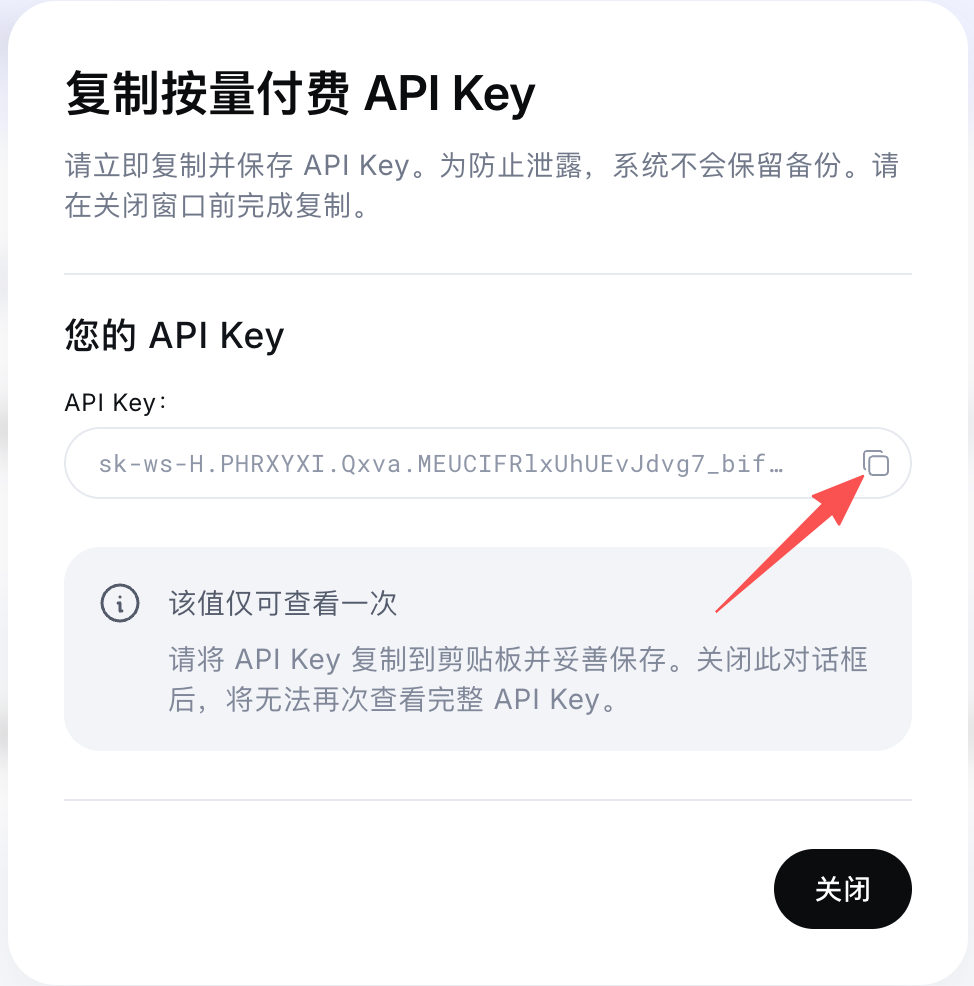
On the API Keys page, click "Create API Key" (创建 API Key), enter a description, then click "Generate API Key" (生成 API Key). Once it's generated, click the copy icon to the right of the API key field and keep the key somewhere safe. The key is shown only once, so copy it before closing the window.
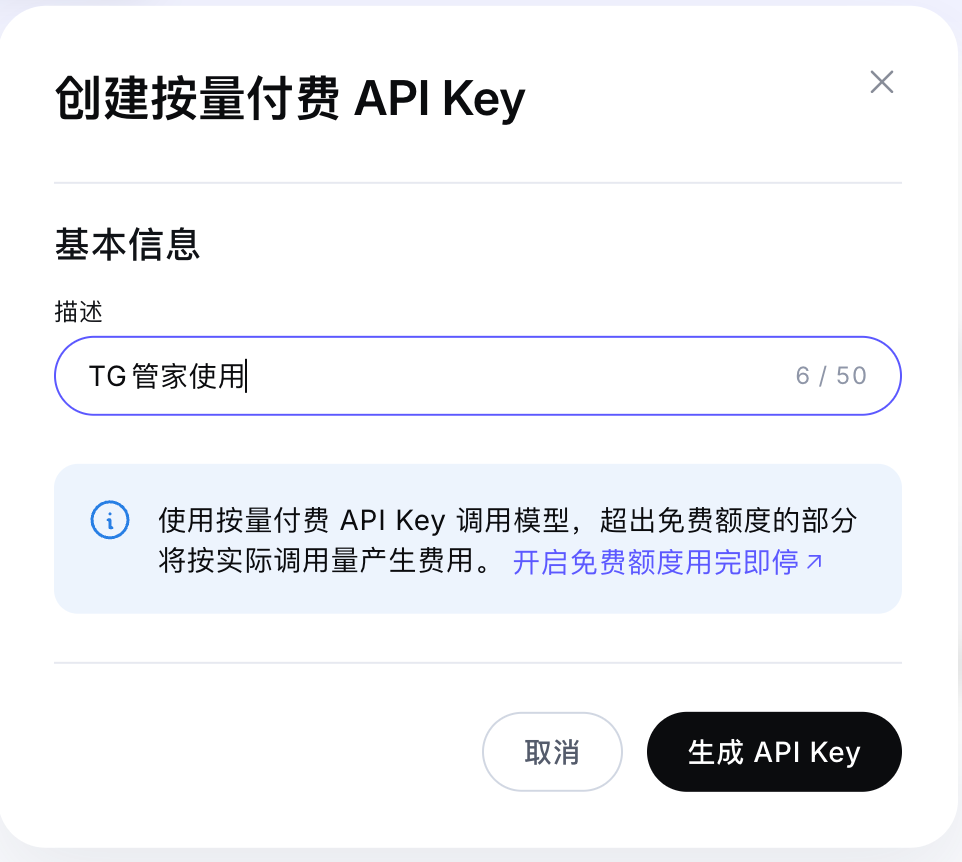
Paste, test and save
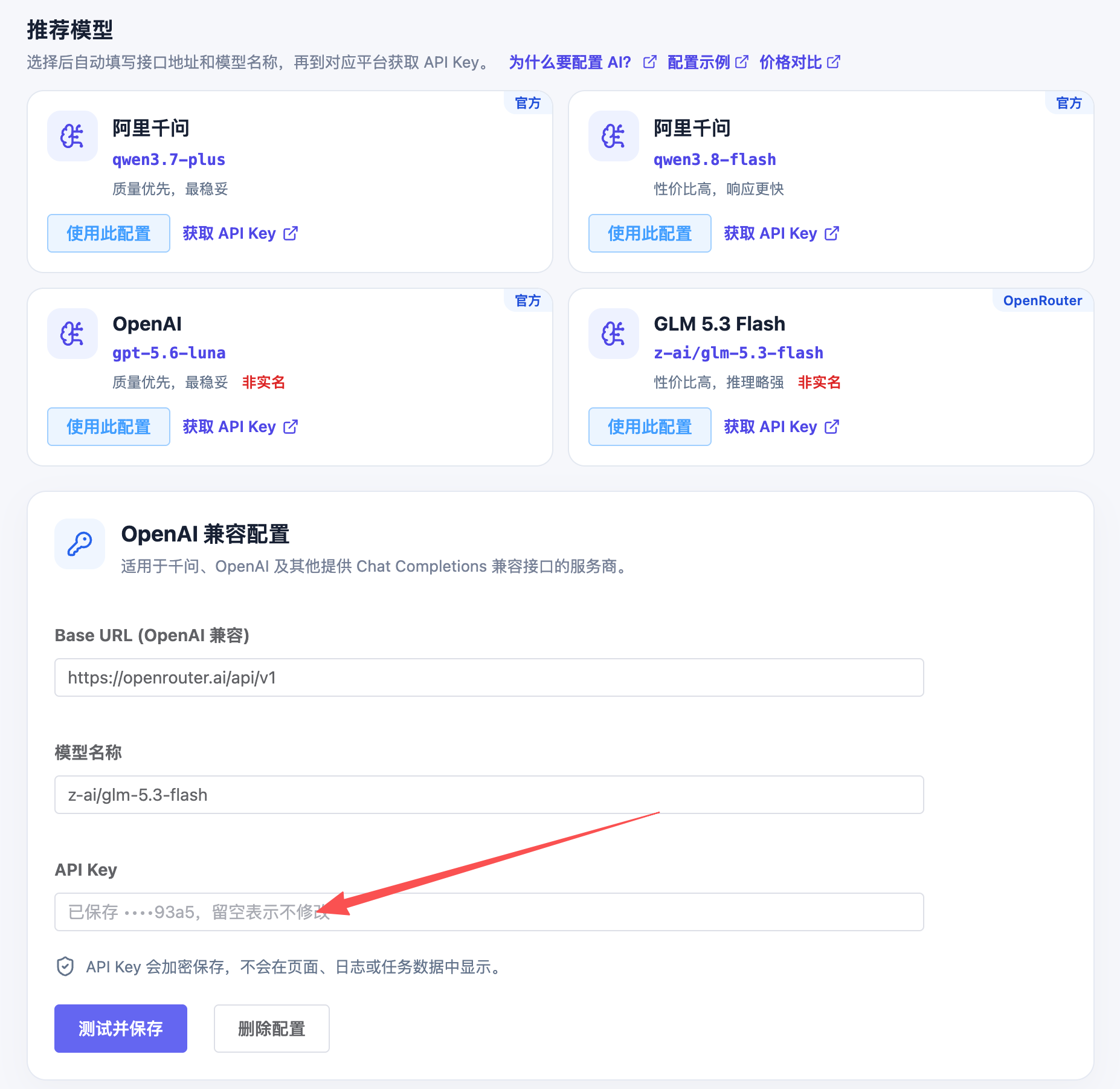
Go back to TGEgg, paste the key into the "API key" field, then click "Test and save". Once the test passes, AI features are ready to use.
Top up a small balance
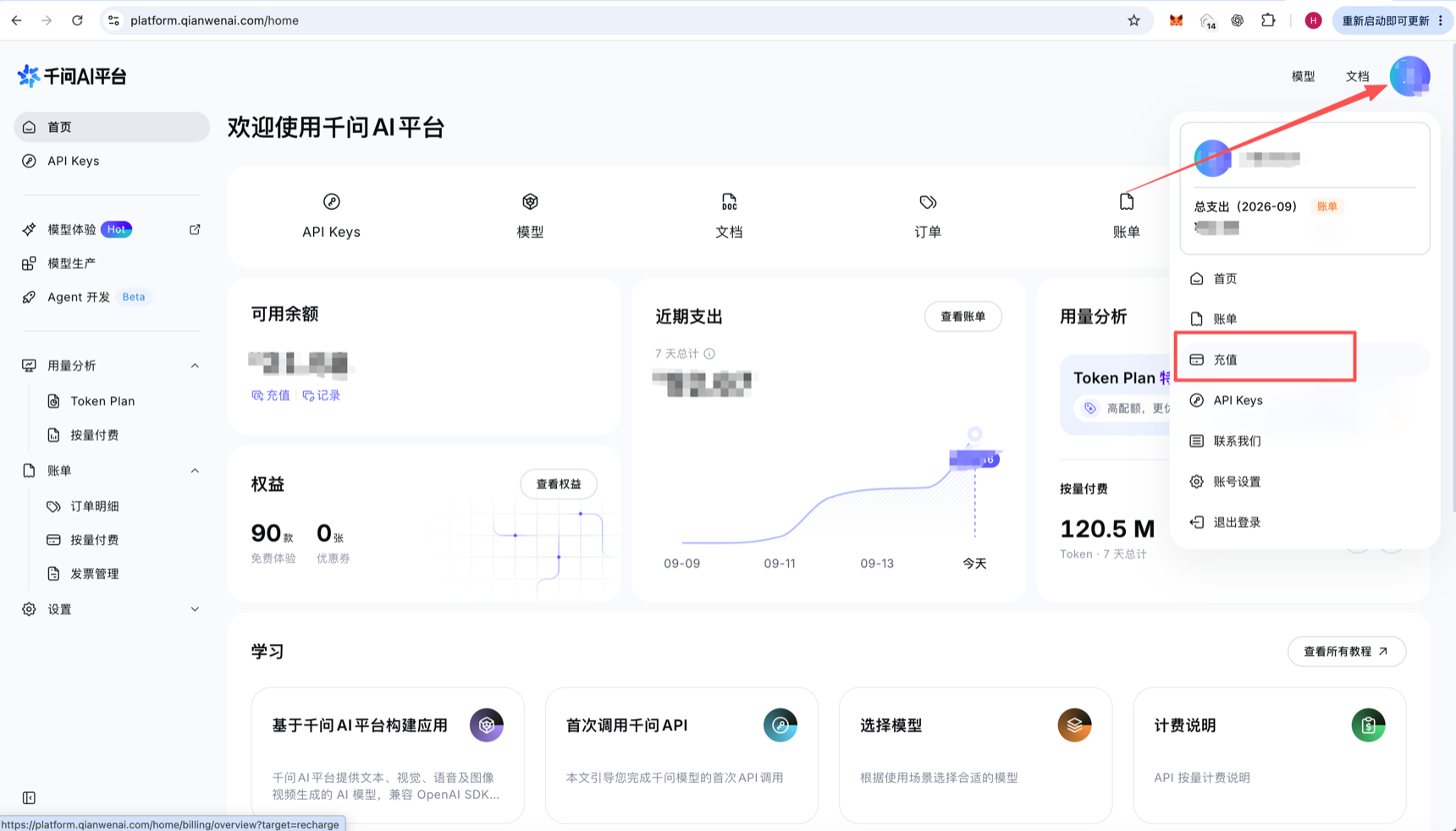
Click your avatar in the top-right corner of the Qwen platform and choose "Top up" (充值) from the menu. For your first time, a few yuan up to a dozen or so is plenty; top up more later based on actual usage.
All set
If the test fails, make sure the key is enabled and check that no extra spaces were copied along with it.