Open BotFather
Open Telegram and go to @BotFather.
Before connecting a visitor bot, create a bot with BotFather, copy its token, then turn on Guest Chat Mode.
Open Telegram and go to @BotFather.
Send /newbot, then enter the bot's name and username when prompted.
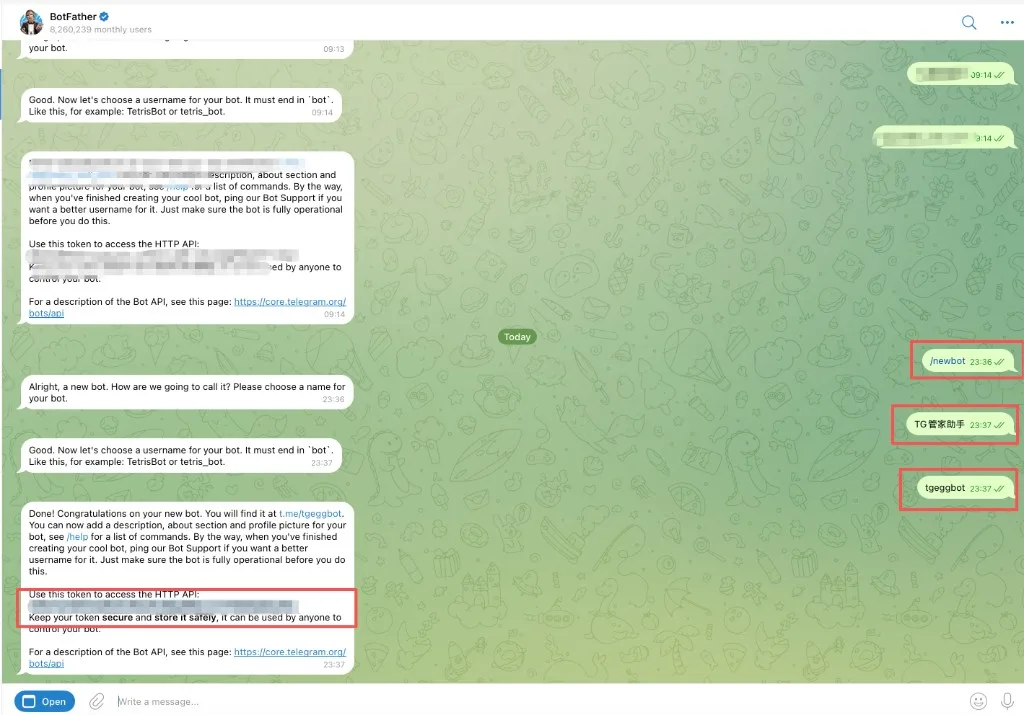
In BotFather's reply, copy the token shown below "Use this token to access the HTTP API".
Open Telegram and go to @BotFather. Tap Open in the bottom-left corner.
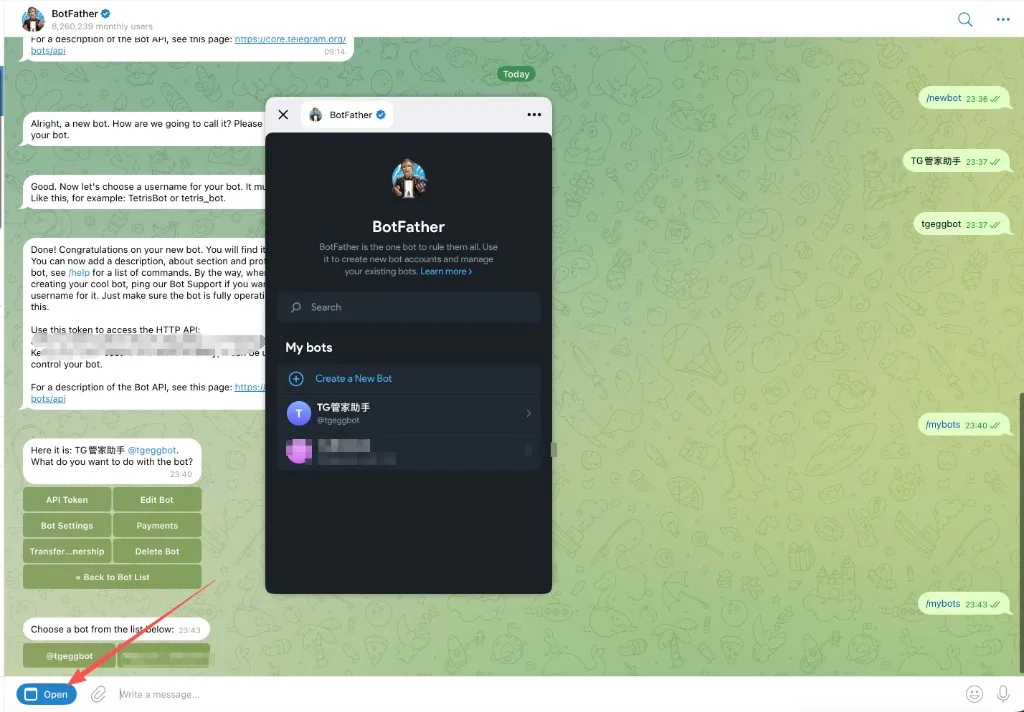
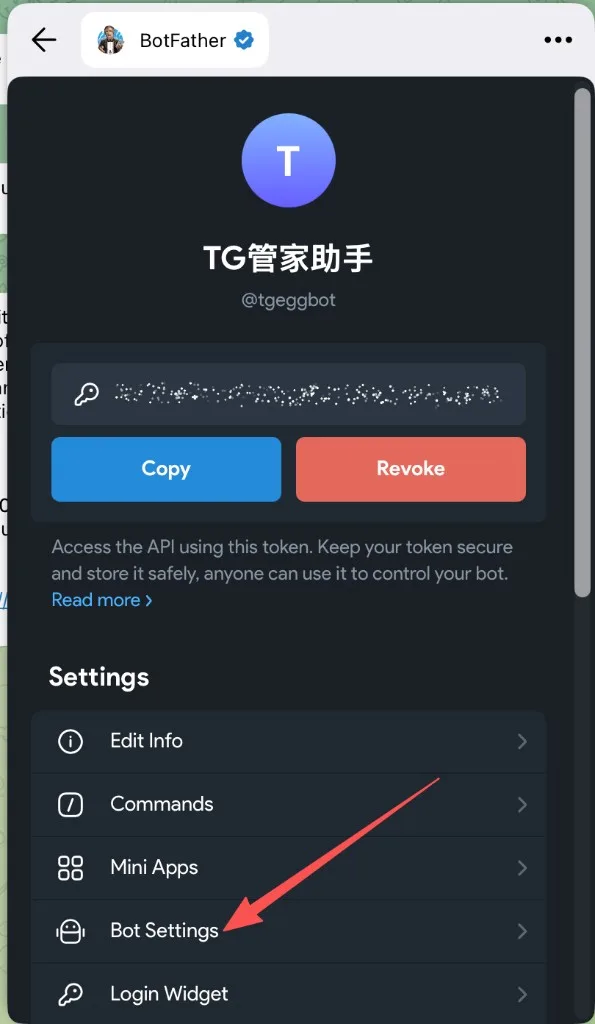
In the mini app that opens, choose Bot Settings.
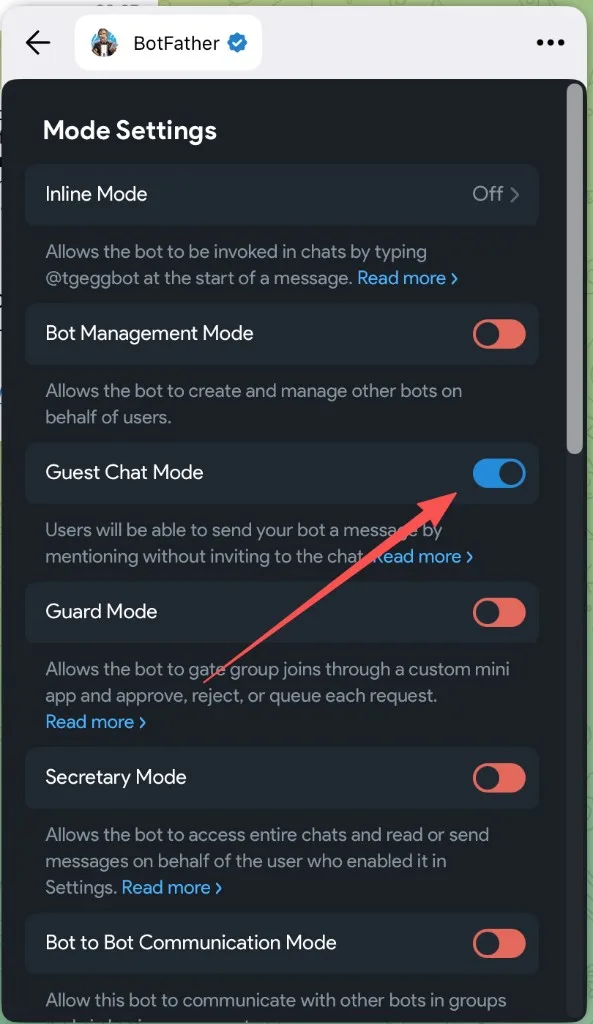
Switch on Guest Chat Mode, then tap "..." in the top-right corner to close the window. That's it.
Paste the token into TGEgg, then click "Check again". Once Guest Chat Mode is on, the yellow banner disappears.