Required channels and groups
Follow channels, join groups, then come back to confirm
Finds the real links in the verification message, joins them, then clicks confirmation buttons such as "I've joined" or "I've subscribed".
After an account joins a group, AI reads the group's verification requirements, completes the steps that are safe to perform, then sends a message to confirm the account can actually post.
The system keeps watching the verification result and re-tests posting at the end. It is only recorded as verified once the test message stays in place.
AI can usually work through common Telegram new-member verifications from start to finish, so you don't have to babysit each account.
Finds the real links in the verification message, joins them, then clicks confirmation buttons such as "I've joined" or "I've subscribed".
Starts verification bots with deep-link parameters, reads the follow-up messages and continues as instructed.
Handles confirm, continue and complete-verification buttons, as well as text or number answer buttons.
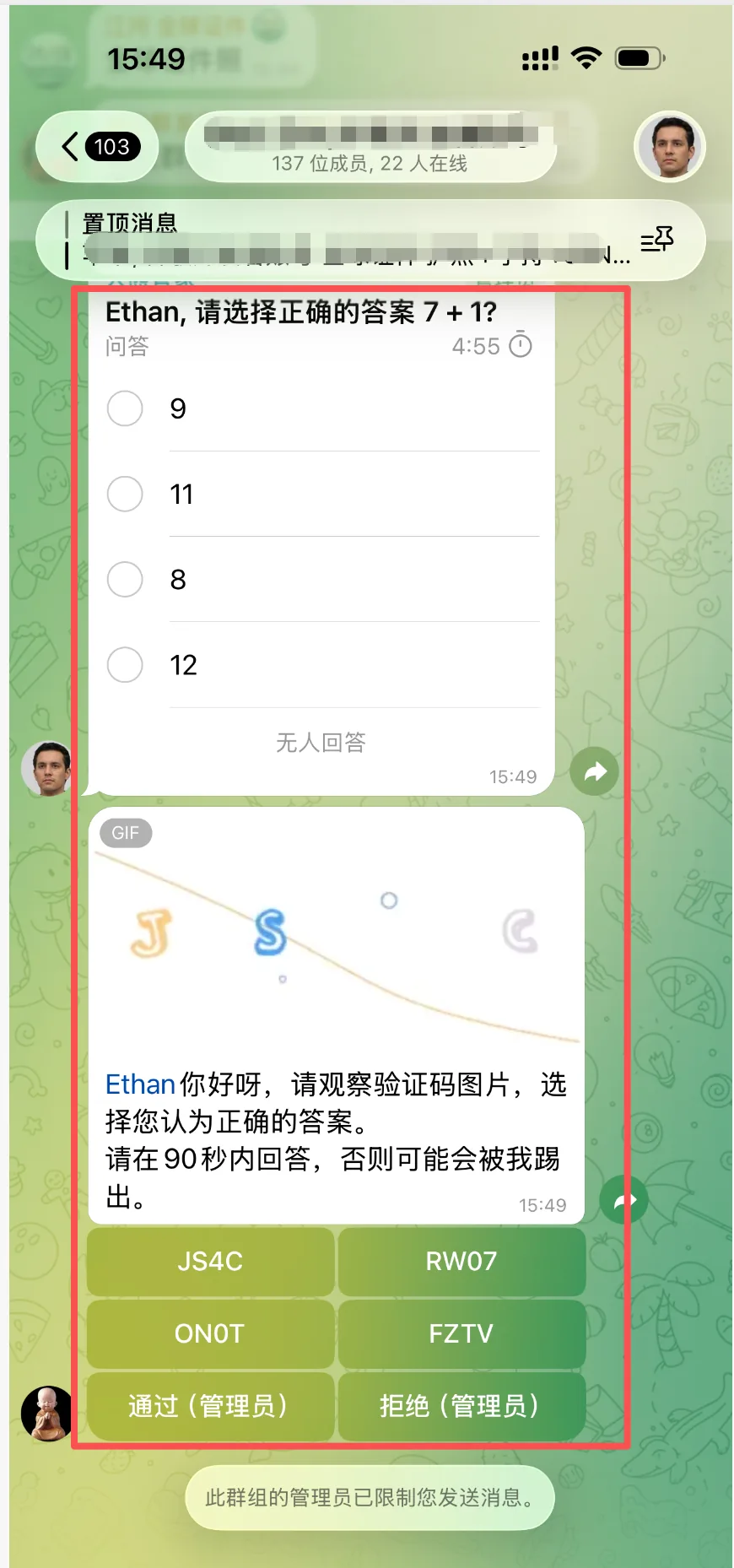
Understands simple arithmetic questions and picks the matching answer in a native single-choice Telegram poll.
Reads letters, numbers and equations in images or GIFs, then matches them against the actual button options. Once verification is done, it goes back to the group to re-test.
Only handles verification requests that appear after this join and are aimed at the current account.
Follows the latest prompt step by step and never makes up links or buttons.
Sends a new message after verification. Old messages from before verification never count as proof.
Checks that the message wasn't deleted and that no new mute or verification prompt appeared.
Group names, accounts and business details are hidden in the images below. Click an image to see it full size.
Finds the target link, joins, then clicks the confirm button
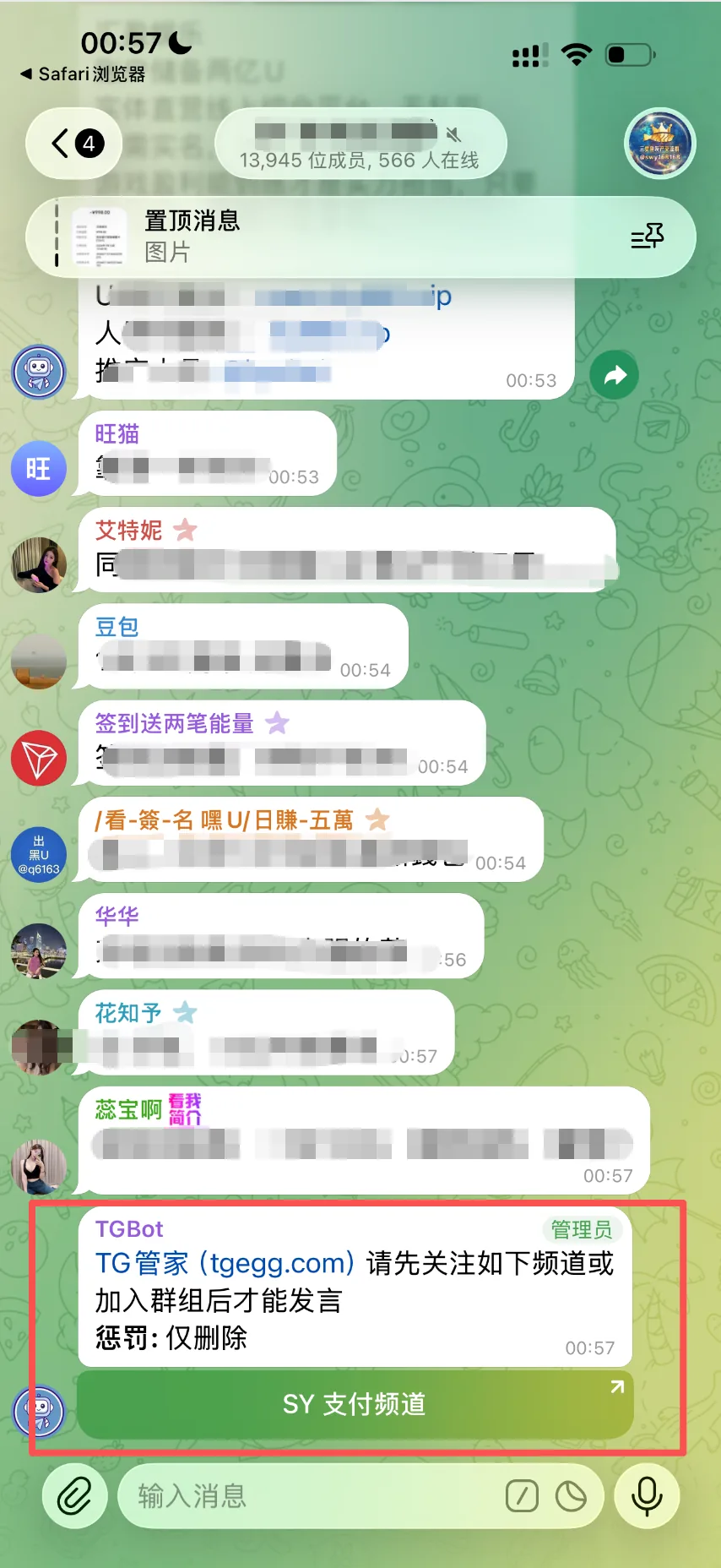
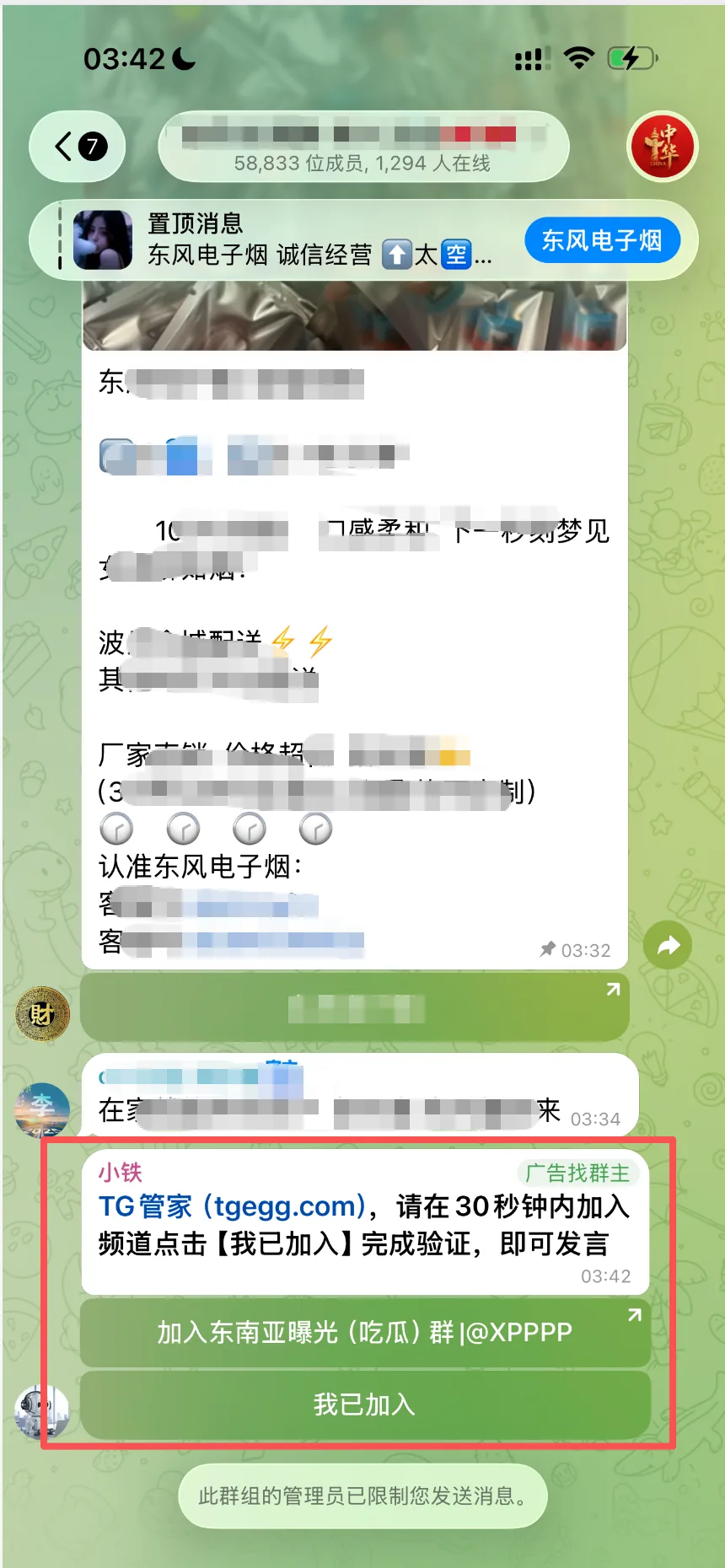
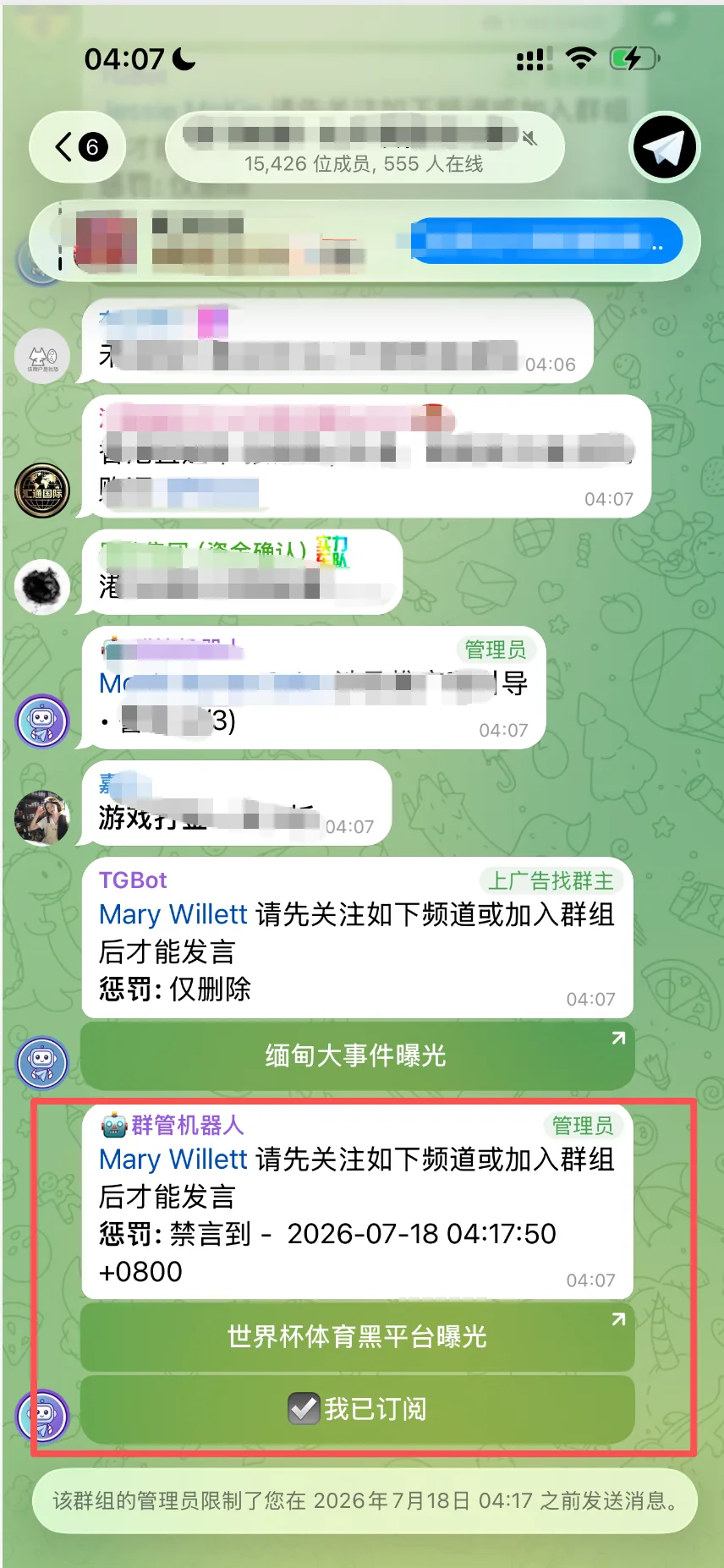
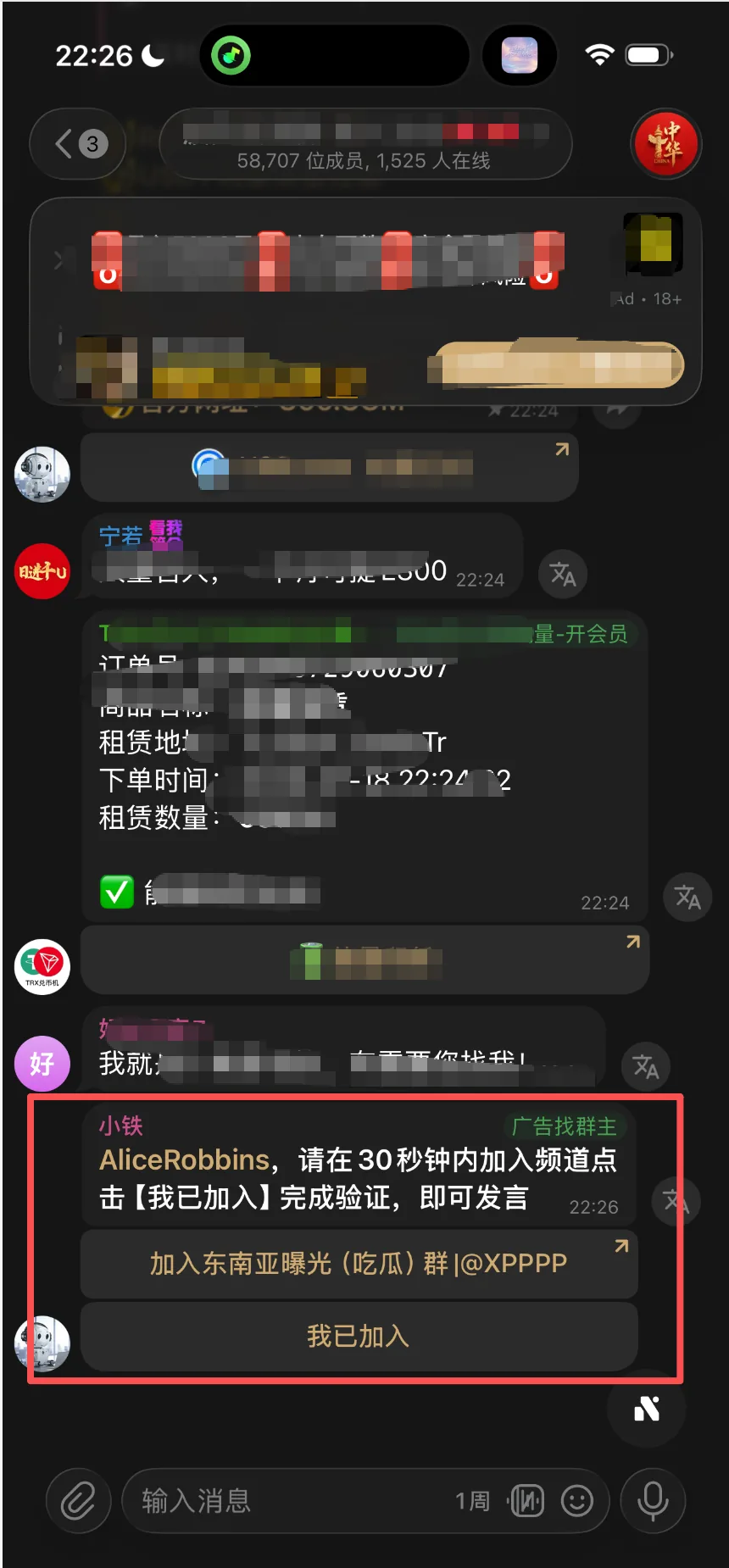
Finds the verification entry, works out the answer and waits for the result
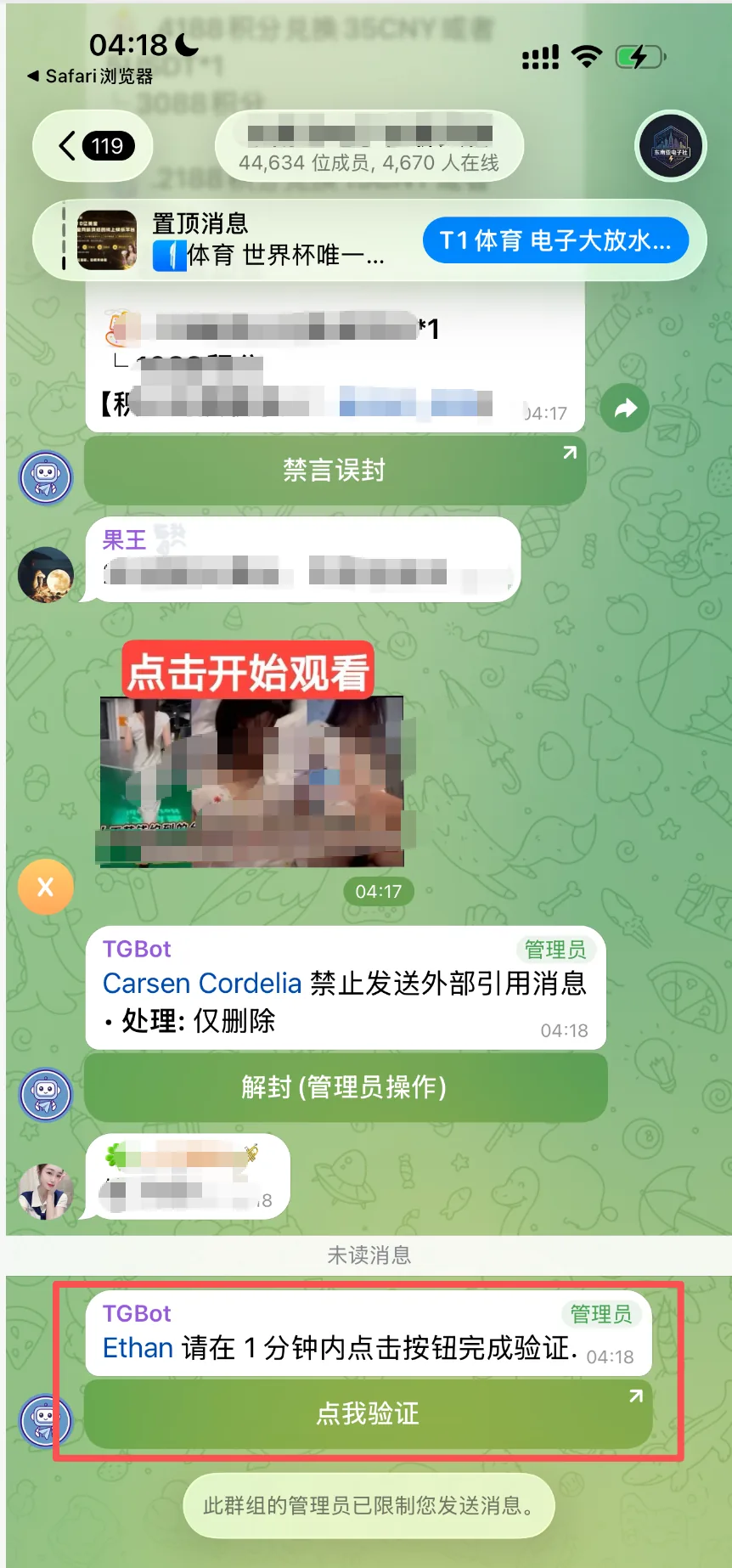
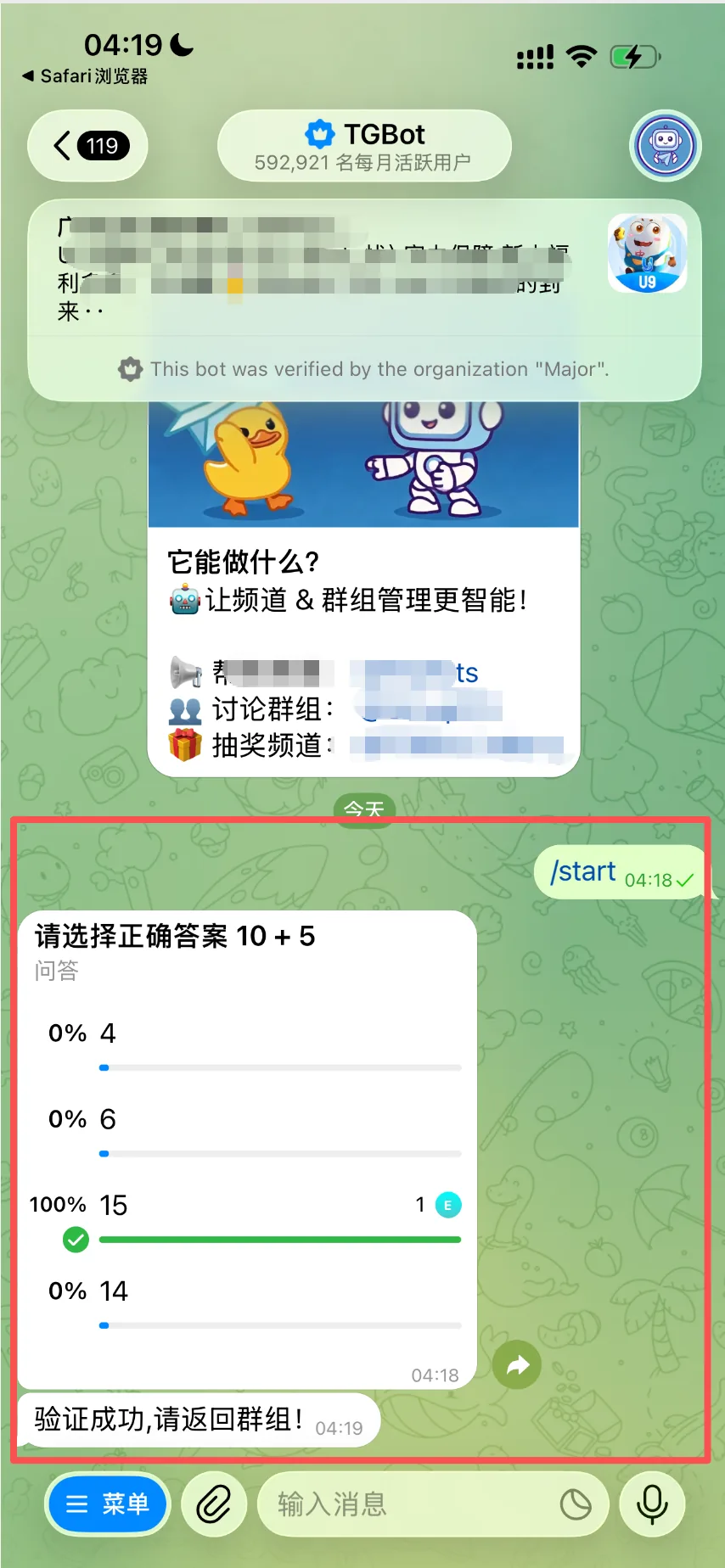
Reads the image for the answer first, then matches it to the actual buttons
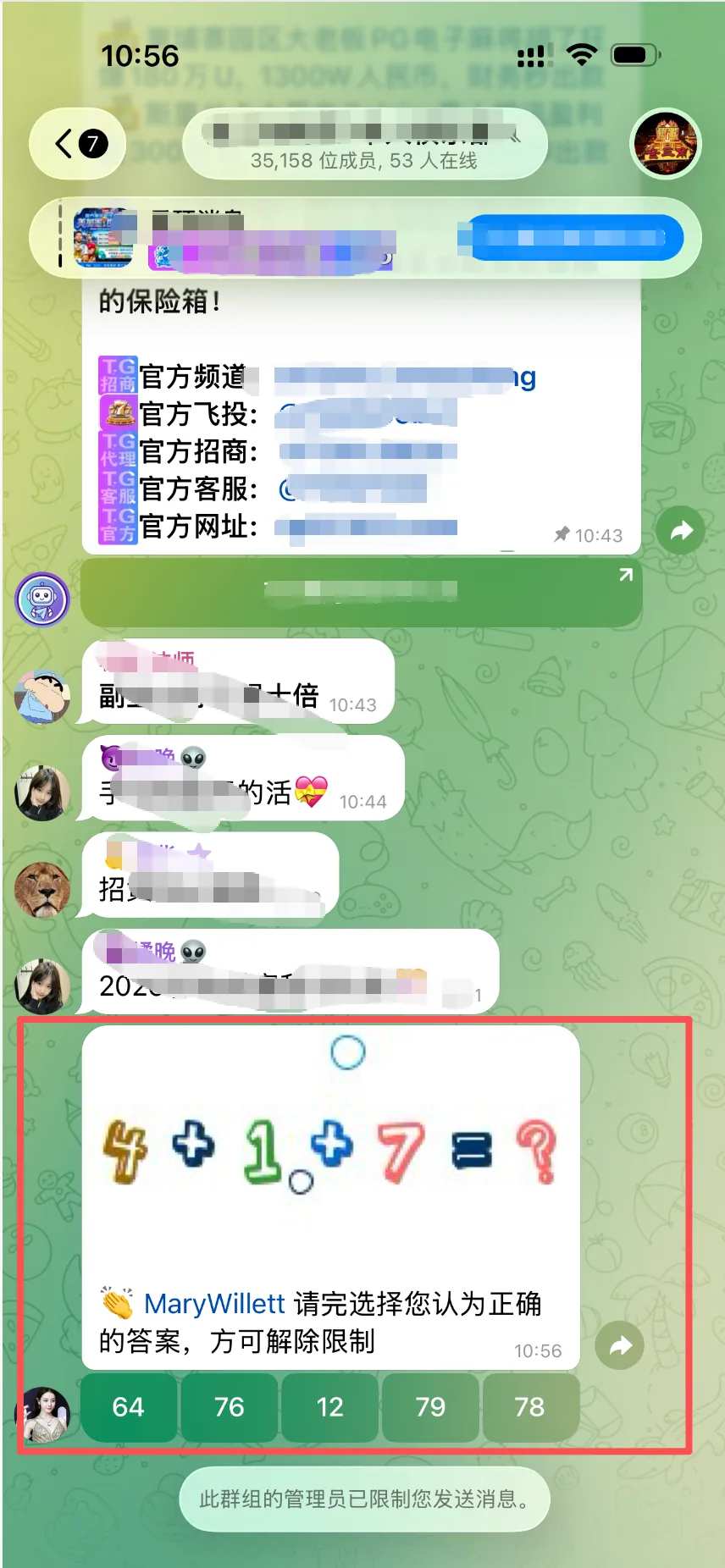
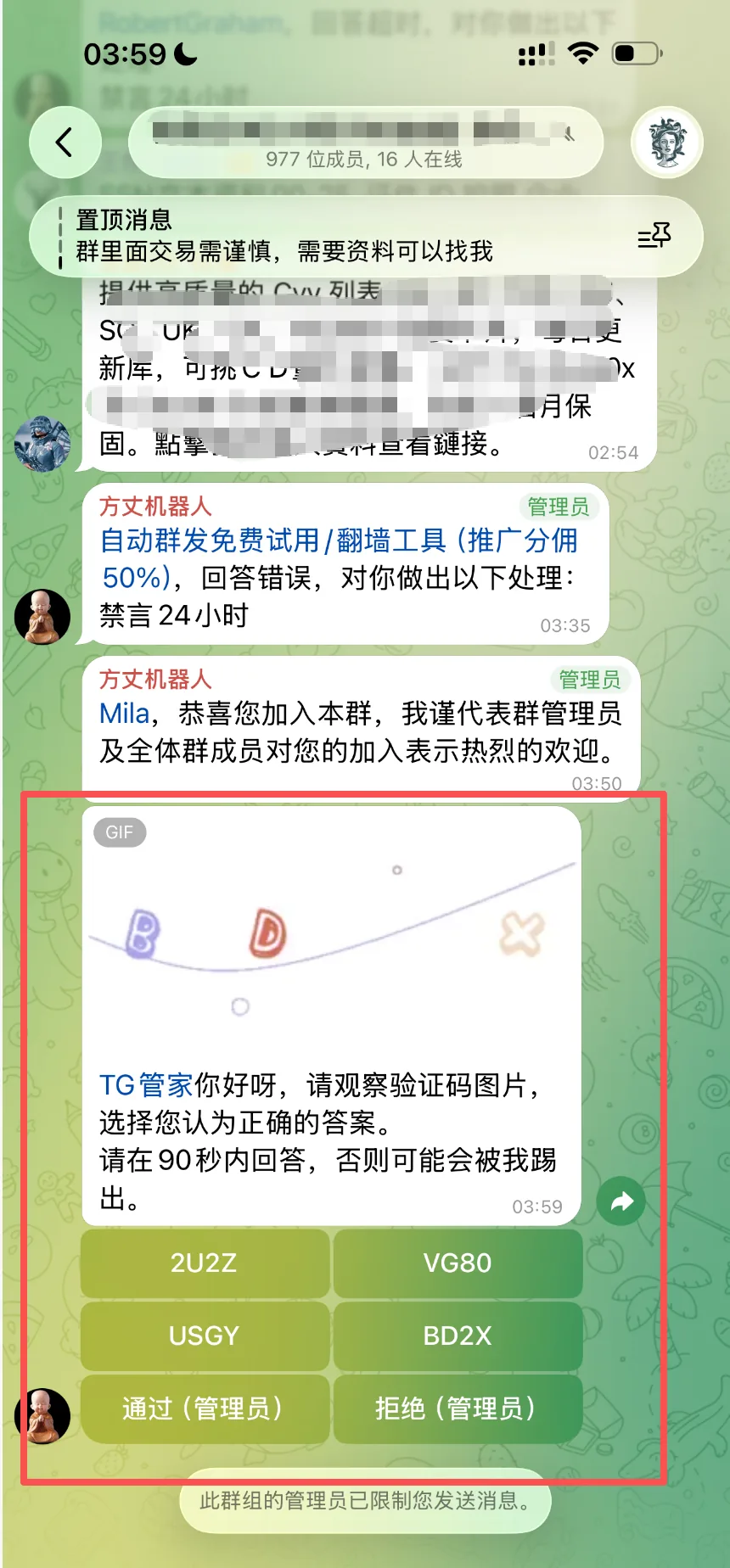
AI puts account safety first. In the cases below it won't force its way through; instead it records the reason for failure so you can review it.
Stops automatically on paid messages or paid verification and never spends on the account's behalf.
Flows that need a website login, wallet authorization or a web captcha usually require manual handling.
If it can't tell what a button does, the link source looks suspicious, or the action is high-risk, it won't click blindly.
Stops when the account is rate-limited, the verification link has expired, the bot doesn't respond, or the task time limit is exceeded.
During the 3-hour trial, AI is provided by the platform. After subscribing to Basic, configure your own model API key to keep using AI join verification.
Joining the group is only the first step. The system still has to wait for the verification prompt, carry out the required actions, and send a new message to confirm the account can really post.
A successful click only means Telegram accepted the action. The bot may still ask you to subscribe, answer a question or wait, so the system has to read the follow-up messages and test posting again.
Not guaranteed. Clear characters, numbers, simple equations and answer buttons are easier to handle. It may fail when the image is blurry, heavily distorted, on an external website, or needs human judgment.
The system still submits a regular join task, but AI join verification won't run. To handle verification automatically, configure your own AI model first.